35
 36
 37
 38
 39
 40
 41
 42
 43
 44
 45
 46
 47
 48
 49
 50
 51
 52
 53
 54
 55
 56
 57
 58
 59
 60
 61
 62
 63
 64
 65
 66
 67
 68
 69
 70
 71
 72
 73
 74
 75
 76
 77
 78
 79
 80
 81
 82
 83
 84
 85
 86
 87
 88
 89
 90
 91
 92
 93
 94
 95
 96
 97
 98
 99
100
101
102
103
104
105
106
107
108
109
110
111
112
113
114
115
116
117
118
119
120
121
122
123
124
125
126
127
128
129
130
131
132
133
134
135
136
137
138
139
140
141
142
143
144
145
146
147
148
149
150
151
152
153
154
155
156
157
158
159
160
161
162
163
164
165
166
167
168
169
170
171
172
173
174
175
176
177
178
179
180
181
182
183
184
185
186
187
188
189
190
191
192
193
194
195
196
197
198
199
200
201
202
203
204
205
206
207
208
209
210
211
212
213
214
215
216
217
218
219
220
221
222
223
224
225
226
227
228
229
230
231
232
233
234
235
236
237
238
239
240
241
242
243
244
245
246
247
248
249
250
251
252
253
254
255
256
257
258
259
260
261
262
263
264
265
266
267
268
269
270
271
272
273
274
275
276
277
278
279
280
281
282
283
284
285
286
287
288
289
290
291
292
293
294
295
296
297
298
299
300
301
302
303
304
305
306
307
308
309
310
311 | def graph(config:ConfigParser) -> None:
"""
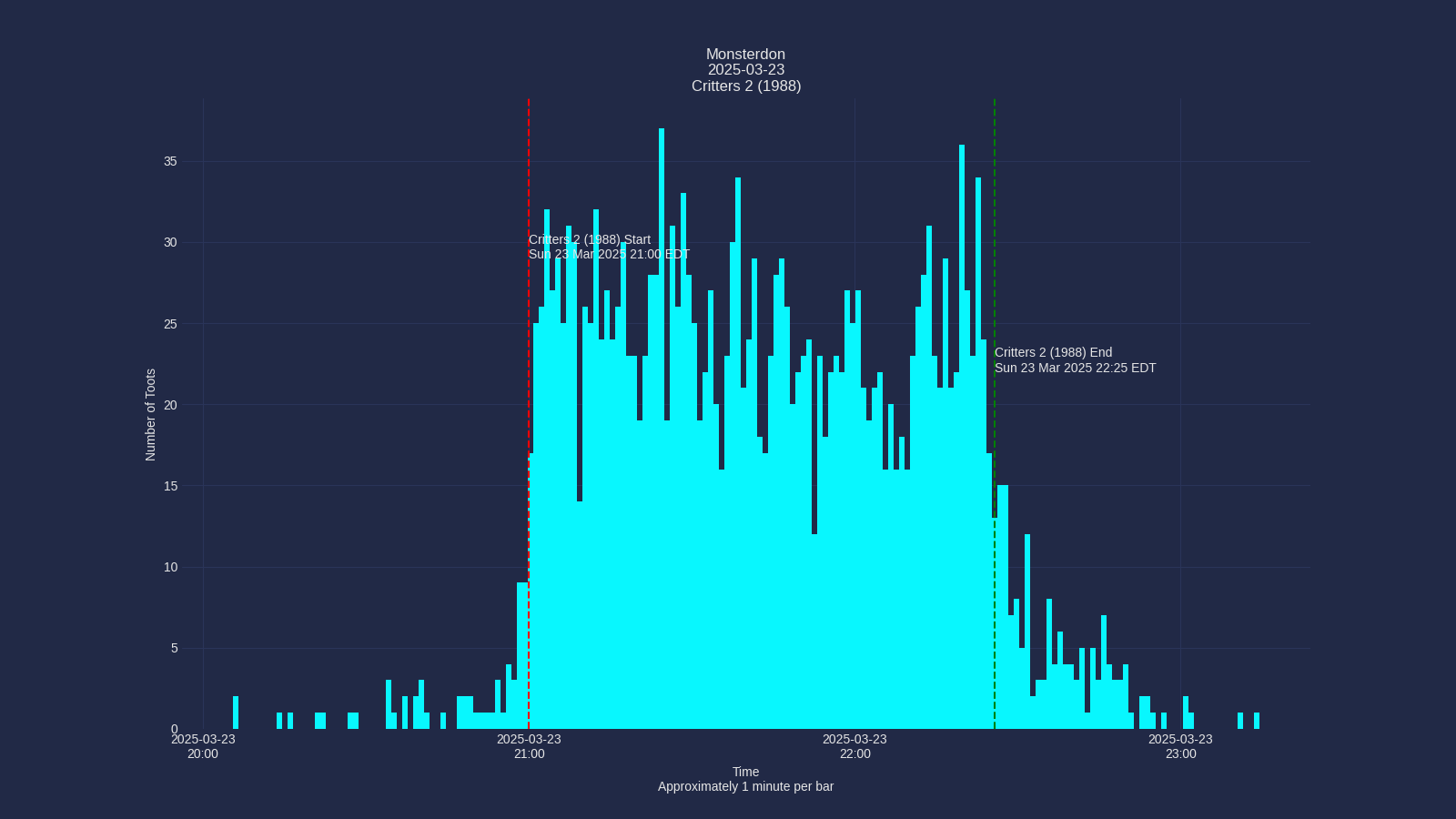
This is the main function, for now. It invokes [get_toots_df()](module-analyse.md#mastoscore.analyse.get_toots_df)
to get the DataFrame. Then it discards basically everything other than the `created_at` dates.
It plots a histogram using some jiggery pokery that I adjust manually almost every time.
I'm trying to use cool matplotlib themes [that I found here](https://github.com/akasharidas/dark-matplotlib-styles).
## Config Parameters Used
| Option | Description |
| ------- | ------- |
| `graph:timezone` | The timezone that all times will be converted to. |
| `graph:start_label` | Label for the event_start vertical line |
| `graph:end_label` | Label for the end_time vertical line |
| `graph:graph_title` | Title for the graph |
| `wordcloud:fonts` | Path to fonts. Used for title |
| `mastoscore:hashtag` | Hashtag used for the analysis |
| `mastoscore:event_year` | Year of the event (YYYY) |
| `mastoscore:event_month` | Month of the event (MM) |
| `mastoscore:event_day` | Day of the event (DD) |
Args:
config: A ConfigParser object from the [config](module-config.md) module
Returns:
None
Writes the graph out to a file named graphs/hashtag-YYYYMMDD.png
Also writes alt text description to graphs/hashtag-YYYYMMDD.txt
"""
timezone = config.get("mastoscore", "timezone")
start_label = config.get("graph", "start_label")
end_label = config.get("graph", "end_label")
graph_title = config.get("graph", "graph_title")
font_path = get_random_font(config)
# Get hashtag and date components for filename
try:
hashtag = config.get("mastoscore", "hashtag")
year = config.get("mastoscore", "event_year")
month = config.get("mastoscore", "event_month")
day = config.get("mastoscore", "event_day")
date_str = f"{year}{month}{day}"
except Exception as e:
raise RuntimeError(f"Didn't get times from config. {e}") from e
logger = get_logger(config, __name__)
df = get_toots_df(config)
timedata = df[["created_at"]].sort_values(by=["created_at"])
# all we care about is time data, so we delete the whole dataframe. :)
del df
timedata.insert(1, "id", 1)
tootdata = timedata.to_numpy()
timestamps = tootdata[:, 0]
(oldest, newest) = timestamps[:: len(timestamps) - 1]
# Get graph times, then round to 0 seconds
start_time, end_time = get_graph_times(config)
graph_start = start_time.replace(second=0, microsecond=0)
graph_end = end_time.replace(second=0, microsecond=0)
# Get font
try:
title_font = FontProperties(fname=font_path, size=16)
except Exception as e:
logger.warning(f"Could not load font from {font_path}: {e}. Using default font.")
title_font = FontProperties(size=16)
delta = graph_end - graph_start
dates = [
graph_start + datetime.timedelta(hours=i)
for i in range(int(delta.total_seconds() / 3600) + 1)
]
d1str = datetime.datetime.strftime(newest, "%H:%M on %Y-%m-%d")
d2str = datetime.datetime.strftime(oldest, "%H:%M on %Y-%m-%d")
logger.info(
f"from {d2str} to {d1str} with {delta.total_seconds() / 3600} hours"
)
plt.rcParams["timezone"] = timezone
plt.figure(figsize=(16, 9))
plt.style.use(
{
"axes.facecolor": "#1a1a1a",
"axes.edgecolor": "gray",
"axes.labelcolor": "white",
"text.color": "white",
"xtick.color": "#a0a0f0",
"ytick.color": "tab:blue",
"grid.color": "gray",
"figure.facecolor": "#1a1a1a",
"figure.edgecolor": "#1a1a1a",
"savefig.facecolor": "#1a1a1a",
"savefig.edgecolor": "#1a1a1a",
}
)
plt.title(f"{graph_title}", fontproperties=title_font)
plt.xlabel("Time\n1 minute per bar", fontsize=16)
plt.ylabel("Number of Toots", fontsize=16)
plt.xticks(dates, dates)
plt.grid(True)
ax = plt.subplot()
# Create minute bins
total_minutes = int((graph_end - graph_start).total_seconds() / 60)
minute_bins = [
graph_start + datetime.timedelta(minutes=i) for i in range(total_minutes + 1)
]
# Count posts per minute
minute_counts = {}
for ts in timestamps:
# Round down to the nearest minute
minute_key = ts.replace(second=0, microsecond=0)
if minute_key in minute_counts:
minute_counts[minute_key] += 1
else:
minute_counts[minute_key] = 1
# Create x and y values for the histogram
x_values = minute_bins[:-1] # All but the last bin edge
y_values = [
minute_counts.get(x, 0) for x in x_values
] # Get count or 0 if no posts in that minute
# Plot the histogram
_ = ax.bar(
x_values, y_values, width=1 / 1440
) # width is 1 minute as fraction of day
# Calculate and plot 15-minute moving average
if len(x_values) >= 30:
# Create moving average data
ma_window = 15 # 15-minute window
ma_y_values = []
ma_x_values = []
for i in range(ma_window - 1, len(y_values)):
# Calculate average of the last 15 minutes
window_avg = sum(y_values[i - (ma_window - 1) : i + 1]) / ma_window
ma_y_values.append(window_avg)
ma_x_values.append(x_values[i])
# Plot the moving average as a yellow line
ax.plot(
ma_x_values, ma_y_values, "y", linewidth=2, label="15-min Moving Average"
)
else:
logger.warning(
f"Not enough data points for 15-minute moving average (need at least 15, got {len(x_values)})"
)
event_start = get_event_start(config)
event_end = get_event_end(config)
# Find highest and lowest points between start and end times
event_x_values = [x for x in x_values if event_start <= x <= event_end]
event_y_values = [minute_counts.get(x, 0) for x in event_x_values]
highest_point = max(event_y_values)
highest_index = event_y_values.index(highest_point)
highest_time = event_x_values[highest_index]
lowest_point = min(event_y_values)
lowest_index = event_y_values.index(lowest_point)
lowest_time = event_x_values[lowest_index]
# Calculate relative times from event start
highest_relative = highest_time - event_start
highest_minutes = int(highest_relative.total_seconds() // 60)
highest_seconds = int(highest_relative.total_seconds() % 60)
lowest_relative = lowest_time - event_start
lowest_minutes = int(lowest_relative.total_seconds() // 60)
lowest_seconds = int(lowest_relative.total_seconds() % 60)
logger.info(
f"Highest point: {highest_point} posts at {highest_time.strftime('%H:%M:%S')} ({highest_minutes}:{highest_seconds:02d} from start)"
)
logger.info(
f"Lowest point: {lowest_point} posts at {lowest_time.strftime('%H:%M:%S')} ({lowest_minutes}:{lowest_seconds:02d} from start)"
)
ymax = max(y_values) if y_values else 0
label_y = int(ymax * 0.8)
# Calculate some start and end labels
start_date_str = datetime.datetime.strftime(event_start, "%H:%M:%S %Z")
end_date_str = datetime.datetime.strftime(event_end, "%H:%M:%S %Z")
# Position the start label to the left of the start line with right justification
ax.text(
event_start - datetime.timedelta(minutes=2),
label_y,
f"{start_label}\n{start_date_str}",
horizontalalignment="right",
)
# Position the end label 5 minutes after the end, to look good.
ax.text(
event_end + datetime.timedelta(minutes=2),
label_y,
f"{end_label}\n{end_date_str}",
)
ax.axvline(x=event_start, color="r", ls="--", label="start")
ax.axvline(x=event_end, color="g", ls="--", label="end")
ax.xaxis.set_major_locator(mdates.HourLocator(interval=1))
ax.xaxis.set_major_formatter(mdates.DateFormatter("%H:%M"))
ax.yaxis.get_major_locator().set_params(integer=True)
# Graphs go into the journal directory now
graphs_dir = create_journal_directory(config)
if not graphs_dir:
return
# Create the graph filename with hashtag-YYYYMMDD pattern
graph_file_name = os.path.join(graphs_dir, f"{hashtag}-{date_str}.png")
alt_text_file_name = os.path.join(graphs_dir, f"{hashtag}-{date_str}.txt")
# Generate alt text description
# Calculate minutes between start and end time
event_duration = (event_end - event_start).total_seconds() / 60
# Find data points between start and end time
event_mask = (timestamps >= event_start) & (timestamps <= event_end)
event_timestamps = [ts for i, ts in enumerate(timestamps) if event_mask[i]]
# Use the previously calculated highest and lowest points
try:
# Calculate average posts per minute
avg_posts_per_minute = len(event_timestamps) / max(
event_duration, 0.001
) # Avoid division by zero
nice_date = datetime.datetime.strftime(event_start, "%A, %e %b %Y")
# Format the alt text
alt_text = f"""
A histogram showing posts per minute on {nice_date}. Each bar represents one minute. \
The event was {event_duration:.1f} minutes long. There were {len(event_timestamps)} \
posts during the event with an average of {avg_posts_per_minute:.2f} posts per minute.
"""
# Add histogram-based statistics using our calculated values
highest_relative = highest_time - event_start
highest_minutes = int(highest_relative.total_seconds() // 60)
highest_seconds = int(highest_relative.total_seconds() % 60)
lowest_relative = lowest_time - event_start
lowest_minutes = int(lowest_relative.total_seconds() // 60)
lowest_seconds = int(lowest_relative.total_seconds() % 60)
alt_text += f"""
The busiest moment was at {highest_minutes}:{highest_seconds:02d} from the start \
with {highest_point} posts in that minute. The quietest moment was at \
{lowest_minutes}:{lowest_seconds:02d} from the start with {lowest_point} \
posts in that minute. The yellow line is a 15-minute moving average."""
except Exception as e:
logger.warning(f"Error calculating post statistics for alt text: {e}")
# Fallback to simpler statistics
alt_text = f"""
A histogram showing posts per minute on
{datetime.datetime.strftime(event_start, "%A, %e %b %Y")}. Each bar represents \
one minute. There were {len(event_timestamps)} posts during the event. """
# Save the graph
try:
plt.savefig(graph_file_name, format="png")
# Save the alt text to a file
with open(alt_text_file_name, "w") as alt_file:
alt_file.write(alt_text)
logger.info(f"Saved alt text to {alt_text_file_name}")
except Exception as e:
logger.error(f"Failed to save {graph_file_name} and/or {alt_text_file_name}")
logger.error(e)
|